
Free Online LaTeX To Word Converter
A free, fast, and secure online tool to compile your LaTeX files into polished Word documents in seconds. No registration or installation needed.
Convert LaTeX to Word Instantly
Upload LaTeX File
Drag and drop files here, or click to select files
Supports .tex, .ltx files (max 10MB)
Current source: 0 characters
Edit LaTeX Source
Word Preview
Need to paste into Word instead of downloading? Try Copy for Word in LaTeX to HTML.
How to Convert LaTeX to Word in 3 Steps
Follow this quick workflow to upload, preview, and download a polished Word document made from your LaTeX source.
Upload or Paste LaTeX
Drop a .tex file or paste your source directly into the editor. Supports .tex and .ltx files up to 10 MB, with instant drag-and-drop or clipboard paste.
Review Your Document
Check the live preview for equations, tables, figures and references. Broad LaTeX support with instant rendering, so you can fine-tune until everything looks perfect.
Download the Word Document
Export an editable Word document with every section, formula and citation intact. Editable text, native equations, tables and hyperlinks stay intact, and the file opens in Microsoft Word, Google Docs or WPS.
LaTeX to Word Formatting Comparison
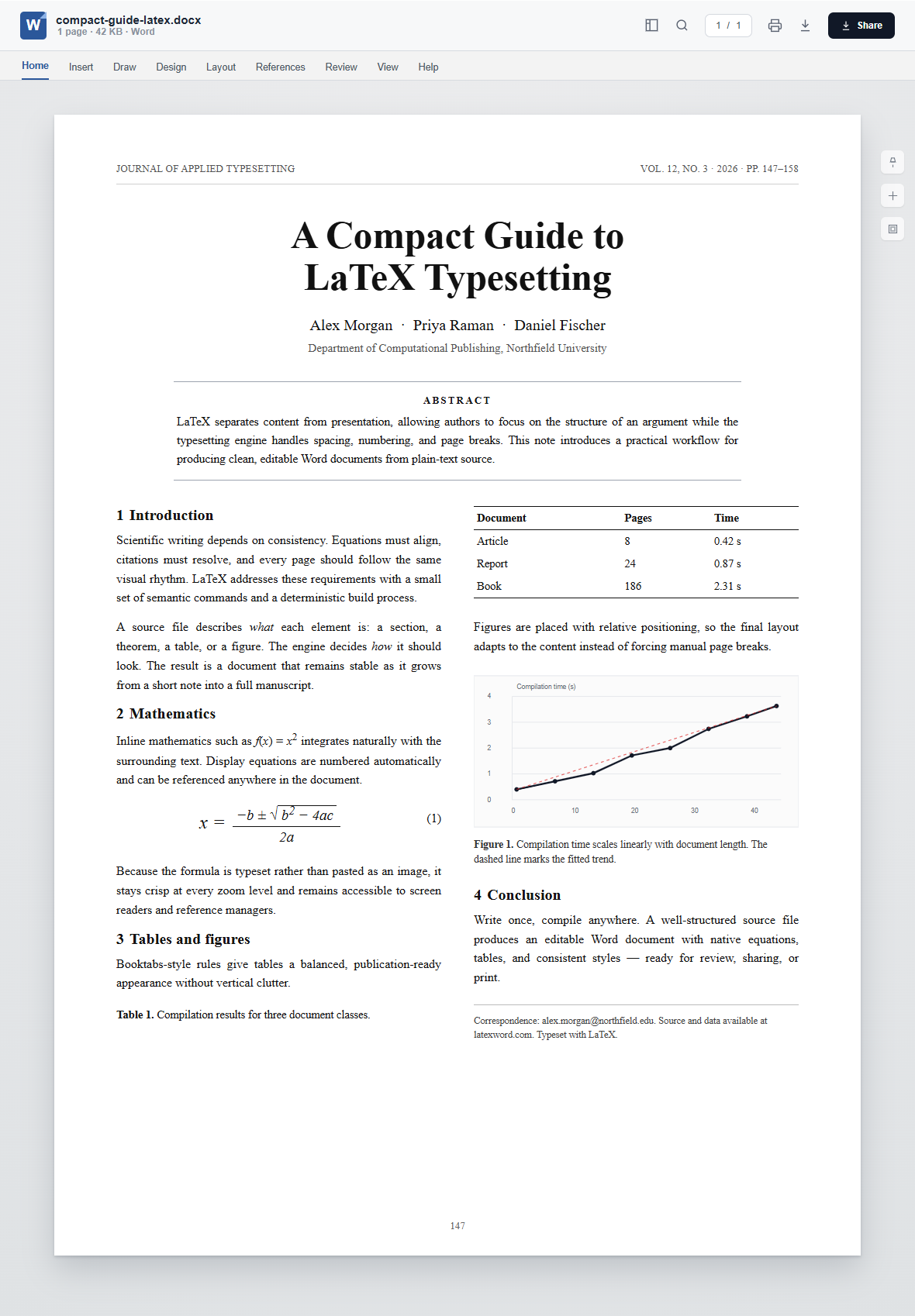
This side-by-side visual guide shows how LaTeX source becomes an editable Word document.
LaTeX Source Code Example
\documentclass[11pt]{article}
\usepackage{amsmath,booktabs,graphicx}

\title{A Compact Guide to \LaTeX{}}
\author{Alex Morgan \and Priya Raman}

\begin{document}
\maketitle

\section{Introduction}
LaTeX describes what each element is. The
engine decides how it should look.

\section{Mathematics}
Inline math such as $f(x)=x^2$ sits naturally
in the text. Display equations are numbered:

\begin{equation}
  x = \frac{-b \pm \sqrt{b^2-4ac}}{2a}
\end{equation}

\section{Tables}
Booktabs rules give tables a balanced look.

\begin{table}[h]
  \centering
  \begin{tabular}{lrr}
    \toprule
    Document & Pages & Time \\
    \midrule
    Article & 8 & 0.42\,s \\
    \bottomrule
  \end{tabular}
\end{table}

\section{Conclusion}
Write once, compile anywhere.
\end{document}
Converted Word Document
Supported LaTeX Syntax & Word Features
Core LaTeX syntax
Articles, reports, sections, cross-references, footnotes, citations and bibliographies compile exactly as expected.
Math, tables & figures
AMS math, numbered equations, booktabs tables, figures and embedded graphics are converted with care.
Word output quality
Editable text, native equations, hyperlinks, tables and consistent styles stay intact in every exported Word document.
Package & engine compatibility
Covers common article structures, AMS math, tables, figures and citations.
Why Choose Our LaTeX to Word Converter?
Private by Design
Your source compiles in your browser. Files never leave your device, so unpublished research stays private.
Lightning Fast
No upload queues or server wait times. Turn LaTeX source into a finished Word document in seconds.
Real-time Preview
See the document structure, equations and styles before you download. Word may reflow pages after opening.
Broad LaTeX Support
From AMS math to tables and bibliographies, keep the structure your document relies on.
Completely Free
No account, no watermark, no hidden limits. Convert as many documents as you need at no cost.
Editable, Shareable Output
Clean, editable Word documents with native equations, tables and consistent styles, ready to share.
Use Cases
6 High-Frequency Use Cases for LaTeX to Word
Academic Papers
Manuscripts, theses and journal submissions. Keep equations and citations submission-ready.
Research Reports
Lab reports, grant proposals and technical notes. Share a fixed, editable Word document.
Lecture Notes
Course handouts, problem sets and slides. Produce clean Word documents for every class.
Technical Documentation
API references, specifications and manuals. Compile versioned source into a stable Word document.
Resumes & CVs
Typeset a polished CV with precise spacing, working links and consistent sections.
Books & Zines
Long-form writing, poetry and self-publishing. Keep long-form structure consistent and fine-tune pages in Word.
Frequently Asked Questions About LaTeX to Word
Here are answers to common questions about compiling LaTeX source into Word with our free online converter.
Is the LaTeX to Word converter completely free?
Yes. Our service is completely free with no registration, no watermarks, no usage limits and permanent access to every feature.
Is it safe to use the LaTeX to Word converter?
Yes. All processing happens locally in your browser, so your source never leaves your computer and your research stays private.
What LaTeX syntax and packages are supported?
Sections, cross-references, AMS math, tables, figures, citations and bibliographies are supported, along with common packages and article, report and book classes.
Is there a file size limit for LaTeX to Word conversion?
We support .tex files up to 10 MB for fast, reliable conversion. Larger projects can be split into chapters and converted separately.
Can I convert multiple .tex files at once?
Currently each document is converted one at a time, ensuring consistent quality and predictable output for every Word document.
What is the difference between LaTeX and a word processor?
LaTeX describes the structure and meaning of a document while the typesetting engine handles layout. That keeps long, technical documents consistent and reproducible.
What is a LaTeX to Word converter?
It is an online tool that turns plain-text LaTeX source into a finished Word document, preserving equations, tables and references in an editable document.
What file formats are supported for LaTeX to Word conversion?
Upload .tex or .ltx files, or paste source directly into the editor. The output is a standard Word document that opens in Microsoft Word, Google Docs or WPS.
How long does the LaTeX to Word conversion take?
Most documents compile in seconds. Actual time depends on length, image sizes and package complexity, but there is no upload or download queue.
Can I use the LaTeX to Word converted documents commercially?
Yes. You own your content and may use the generated Word document for personal, academic or commercial work without attribution.